A pipeline that tells you who to call today, first visits captured properly, proposals clients approve online, and a portal where they follow their project.
Real interface · demonstration data · interface in Spanish
Why it matters
From enquiry to signed contract without re-typing.
The lead, the client, the property and the project are one chain. When the client approves the proposal, the project is activated and the contract value is set.
Frozen proposal versions behind a secure link
Client portal with progress, photos, documents and contract signing
Duplicate detection and safe merging of contacts
ODYXOS
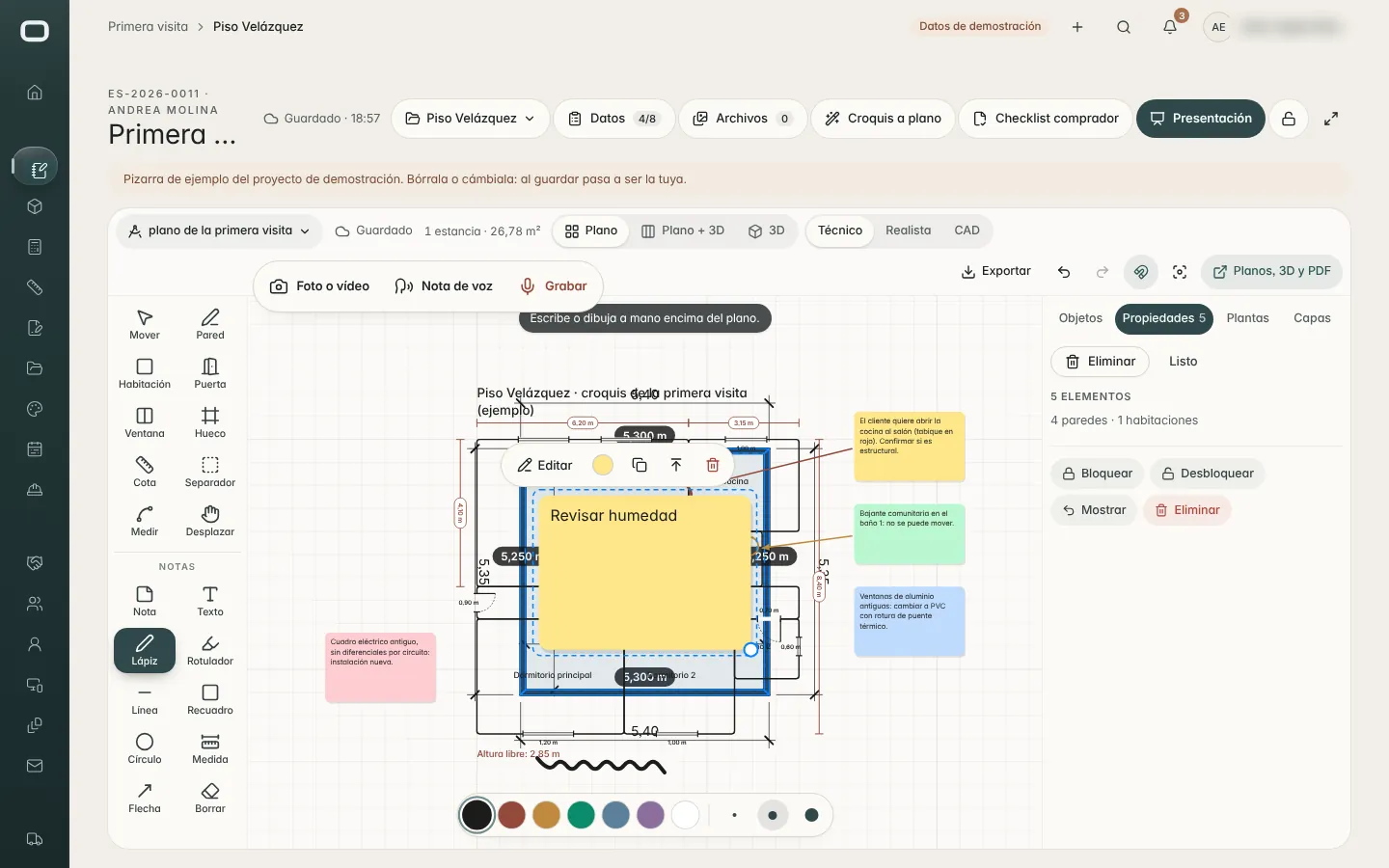
Real interfaceFirst visit: sketch, notes, photos and voice notes in one board · demo data · interface in Spanish
Capabilities
What is included — and its status.
Leads & sales pipeline
Live
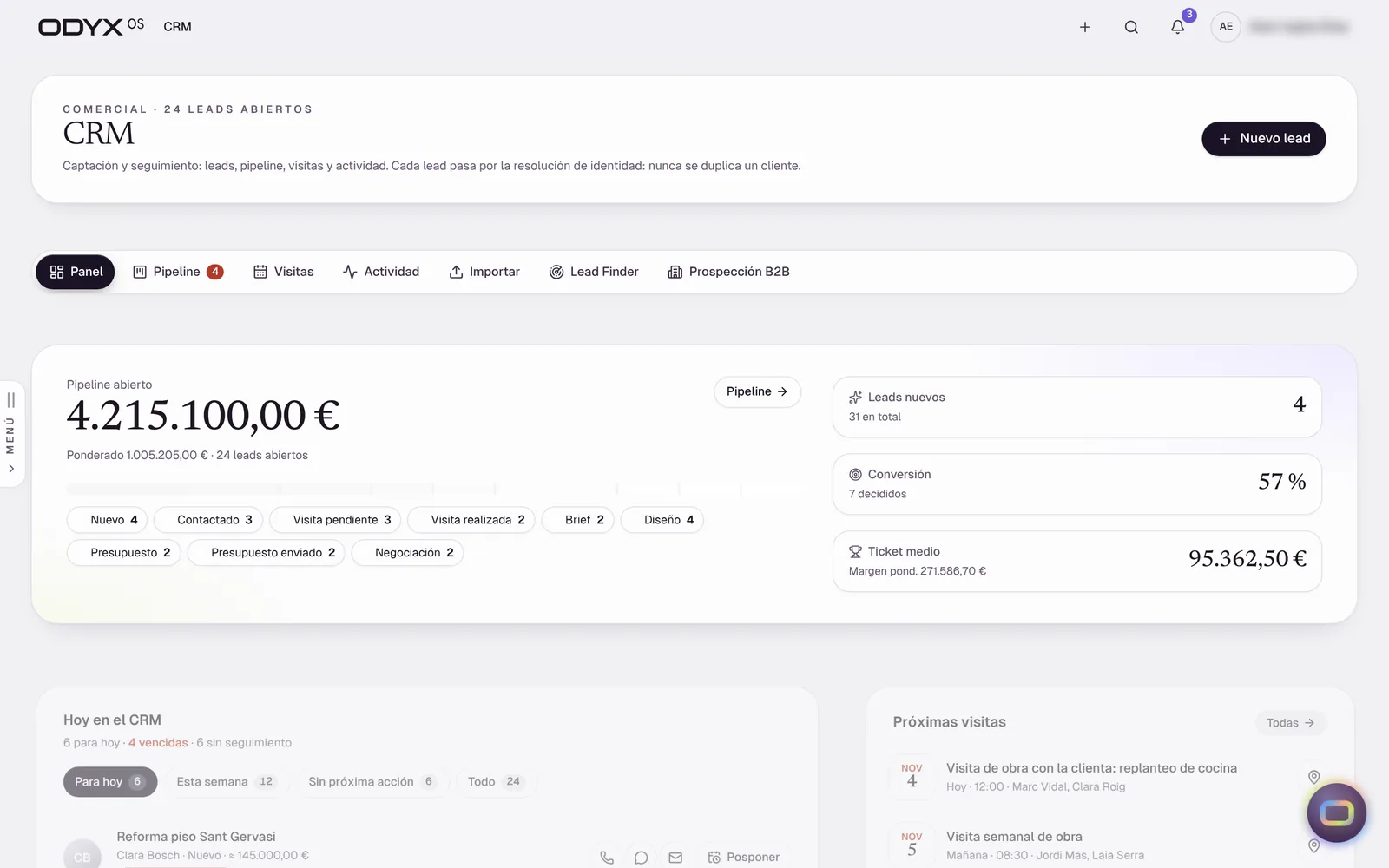
Every enquiry in one pipeline, with a daily “Today” list of who to call and what is due.
Solves: Enquiries scattered across phone, WhatsApp and email go cold.
Pipeline by stage with drag and undo
“Today” view with one-tap contact
Visits and activity history
Spreadsheet import of existing leads
Note: No inbound web-form or email-to-lead capture yet.
Lead to project, without retyping
Live
A won lead becomes a client, a property and a project in one step — contacts are matched, not duplicated.
Solves: The same client is typed into three different tools.
Contact, client and property carried into the project
Duplicate detection and merge
One client record across every project
Clients, contacts, companies & properties
Live
A clean directory with a 360° view of each client and property, and safe merging of duplicates.
Solves: Client history lives in people’s heads and inboxes.
Client and company records
Property records linked to projects
Merge with full traceability
B2B prospecting by area
Beta
Find architects, agencies and businesses in the areas you work, and work them through a prospecting pipeline.
Solves: Commercial and trade partnerships depend on whoever you already know.
Search by zone and business type on a map
Prospecting pipeline with reasons for lost
CSV / company-register import
Area report
Note: Google Places mode needs a configured key; OpenStreetMap mode verified against a local test server.
First site visit
Live
Capture the first visit properly: photos, video, recorded conversation, a quick sketch plan, a checklist and a client-ready dossier.
Solves: Notes from the first visit are incomplete, so the estimate starts from guesswork.
Visit board with media and notes
Recorded conversation upload
Quick plan from the sketch
Buyer / visit checklist and PDF
Client presentation
Note: The AI-written visit dossier needs a configured AI provider (rules fallback verified).
Proposals with online approval
Live
Send a frozen proposal through a secure link; when the client approves, the project and its contract value are set automatically.
Solves: Quotes change after they are sent and nobody knows which version was accepted.
Frozen proposal versions
Secure client link (tampered links refused)
Approval activates the project
Approved proposal PDF
Client portal
Live
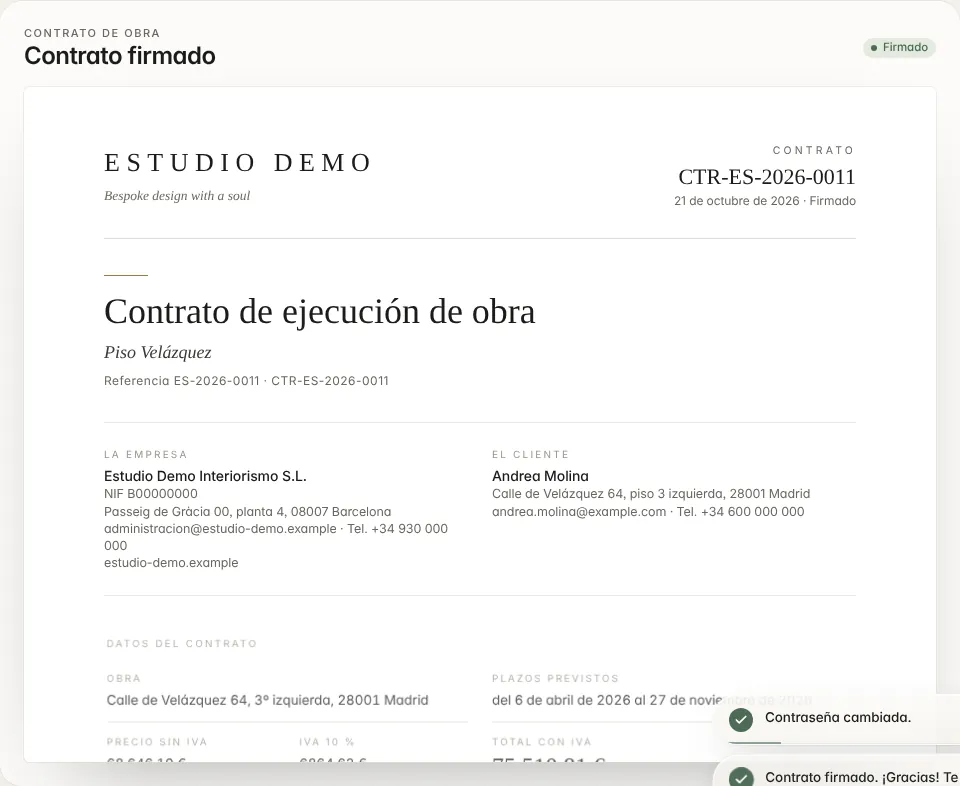
Clients sign in to see progress, photos, documents and notes, and to sign their contract — only their own project.
Solves: Clients chase updates by phone and messages get lost.
Client login with own password
Progress, photos and documents
Contract signing (simple electronic acceptance)
Team preview of the client view
WhatsApp link
Note: No online payments and no qualified e-signature yet; selections approval is partial.
Proposal brochures
Beta
Turn parts of a project — budget, plans, renders — into a designed presentation for the client.
Solves: Good work is presented in a plain spreadsheet.
Choose what the proposal includes
Branded document from project parts
Note: An error reported on the deployed site has not been reproduced locally and is under investigation.
Newsletters & landing pages
Beta
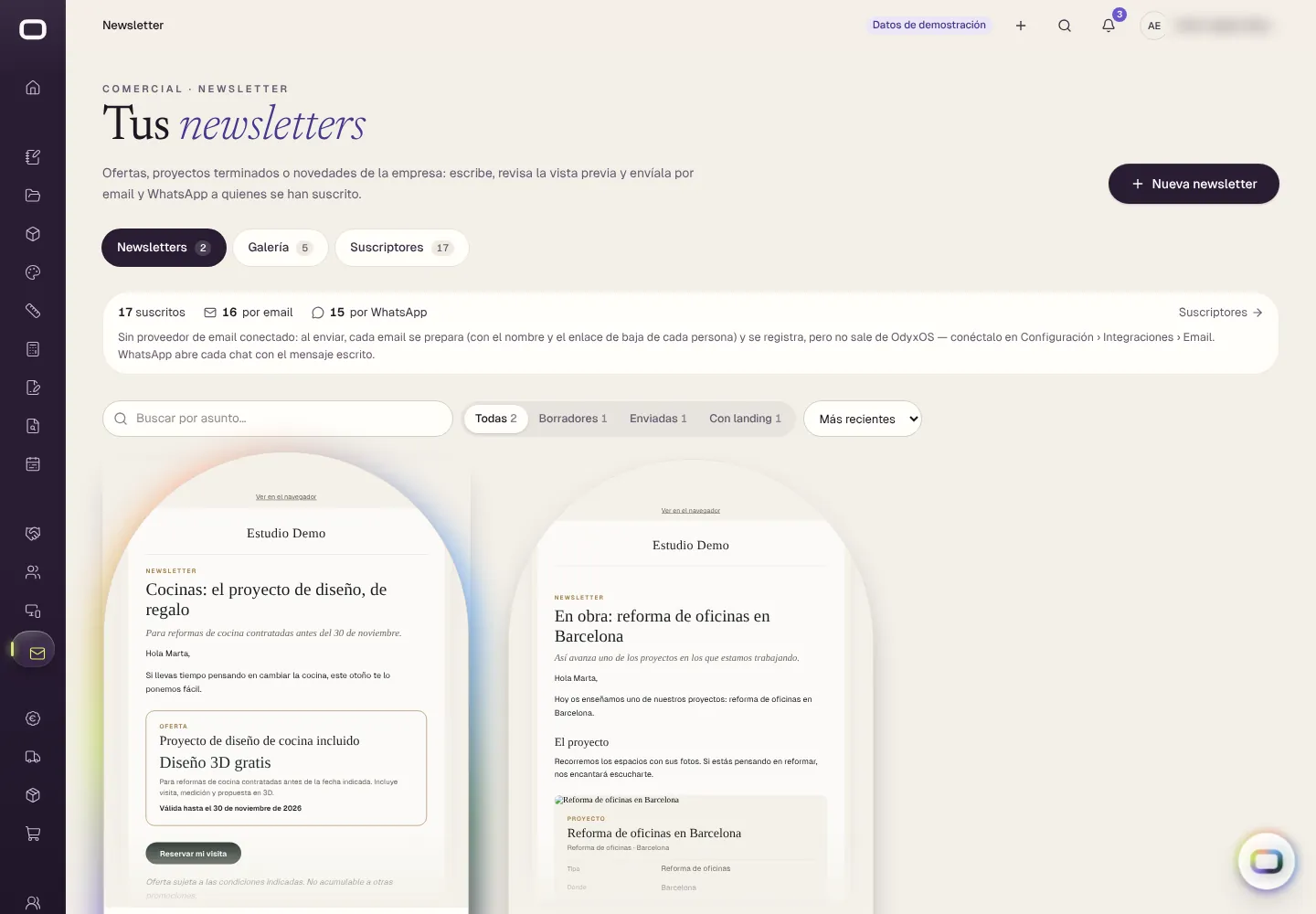
Write newsletters about finished projects and offers, review them, and publish a landing page.
Solves: Past clients and prospects never hear about your best work.
Editor with project templates
Review step before sending
Public landing page
Subscribers and unsubscribe
Note: Sending by email requires the email provider (Resend) to be configured; verified in demo mode.
Website enquiry forms into the CRM
Planned
Enquiries from your own website created directly as leads.
Solves: Website enquiries are re-typed by hand.
Every feature marked Live has been verified in the current build with demonstration data. Accounts for customer companies are opened through the early-access programme while production sign-in and durable data storage are completed. Availability & roadmap
From A to Z
Where it sits in the project.
Every project runs through the same eleven steps. The highlighted ones are where this module does its work.