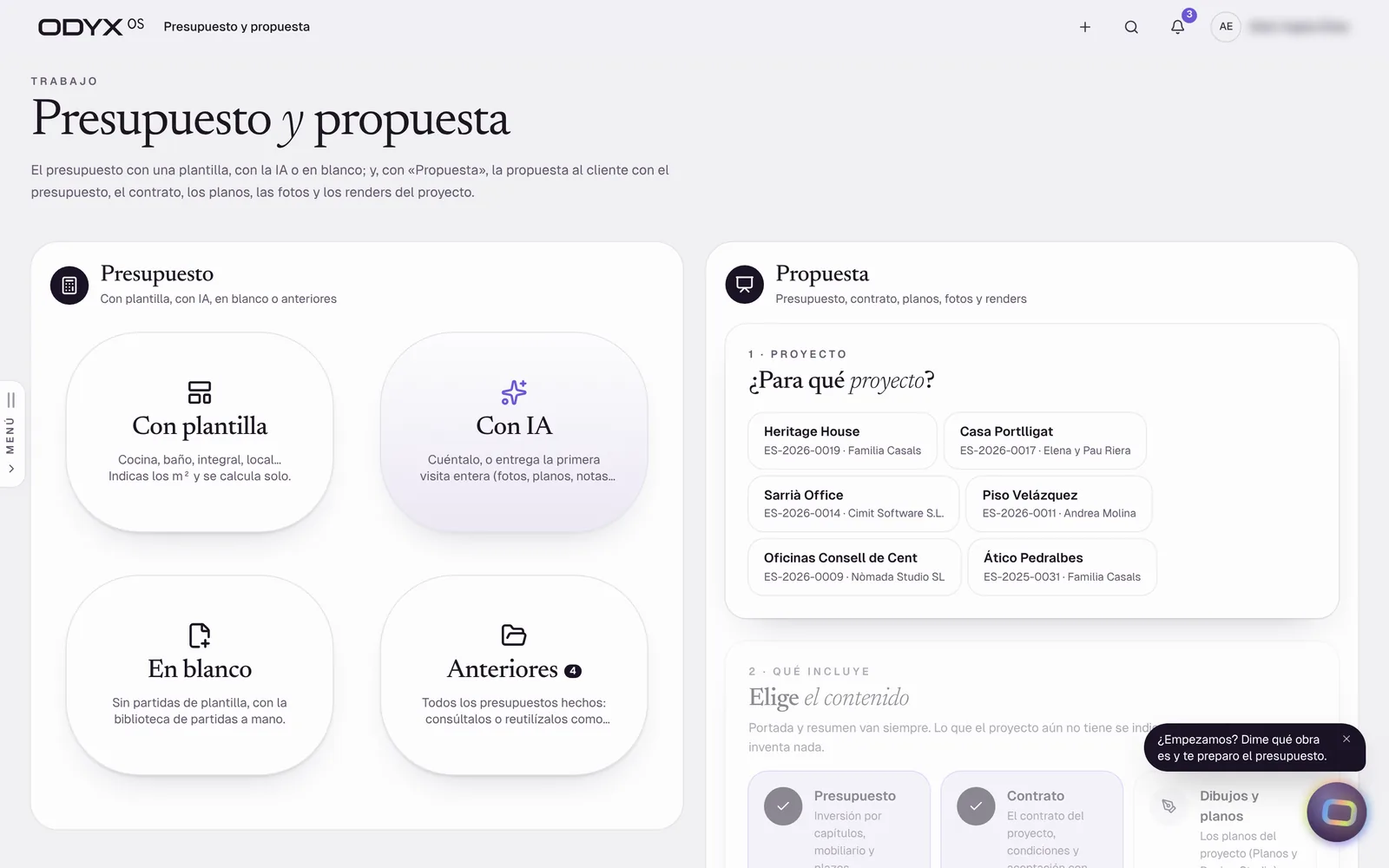
Estimates in four ways Live Start an estimate from a template, with AI, from a blank sheet or from a previous job — and edit it directly.
Solves: Every estimate starts from an old spreadsheet.
Visual templates by type of work (kitchens, bathrooms, full renovations…) Library of line items Estimates by zone from the plan Trash with undo and restore
AI estimate from a description, a visit or your voice Beta Describe the job — or point to the first visit — and the estimating agent asks what is missing and drafts the estimate from your library.
Solves: Estimating eats evenings and weekends.
Agent asks one question at a time Shows the source of each figure Voice editing of an estimate Train with your past estimates Note: Live AI models not verified in the audit environment (no key); the rules-based fallback is verified.
Proposed plan: Professional
Measurements & takeoff Live Measure DXF and PDF drawings, convert systems into materials by lots and send quantities to the estimate.
Solves: Quantities are measured twice, by hand.
Calibrated DXF / PDF sheets Systems → materials by lots Zone agent breaks a room into work items Export Proposed plan: Professional
Price library & supplier tariffs Live Every product and material with its best current price and where it came from — tariffs imported, expiries flagged.
Solves: Estimates use prices nobody can trace or that expired months ago.
Prices organised by topic Supplier tariff import (paste or file) Expired / unconfirmed price warnings Buying agent finds the best price per material Note: Market price research by AI requires a configured provider.
Proposed plan: Professional
Proposals with online approval Live Send a frozen proposal through a secure link; when the client approves, the project and its contract value are set automatically.
Solves: Quotes change after they are sent and nobody knows which version was accepted.
Frozen proposal versions Secure client link (tampered links refused) Approval activates the project Approved proposal PDF
Contract library & e-signing Live Construction contract templates with their legal basis, an editor, PDF, and signing by the client from an email link or the portal.
Solves: Works start on a handshake or an outdated template.
Template library with legal references (Spain) Clause editor PDF in your brand Signature link by email; signing in the portal Note: Simple electronic acceptance; qualified e-signature is not integrated.
Proposed plan: Professional
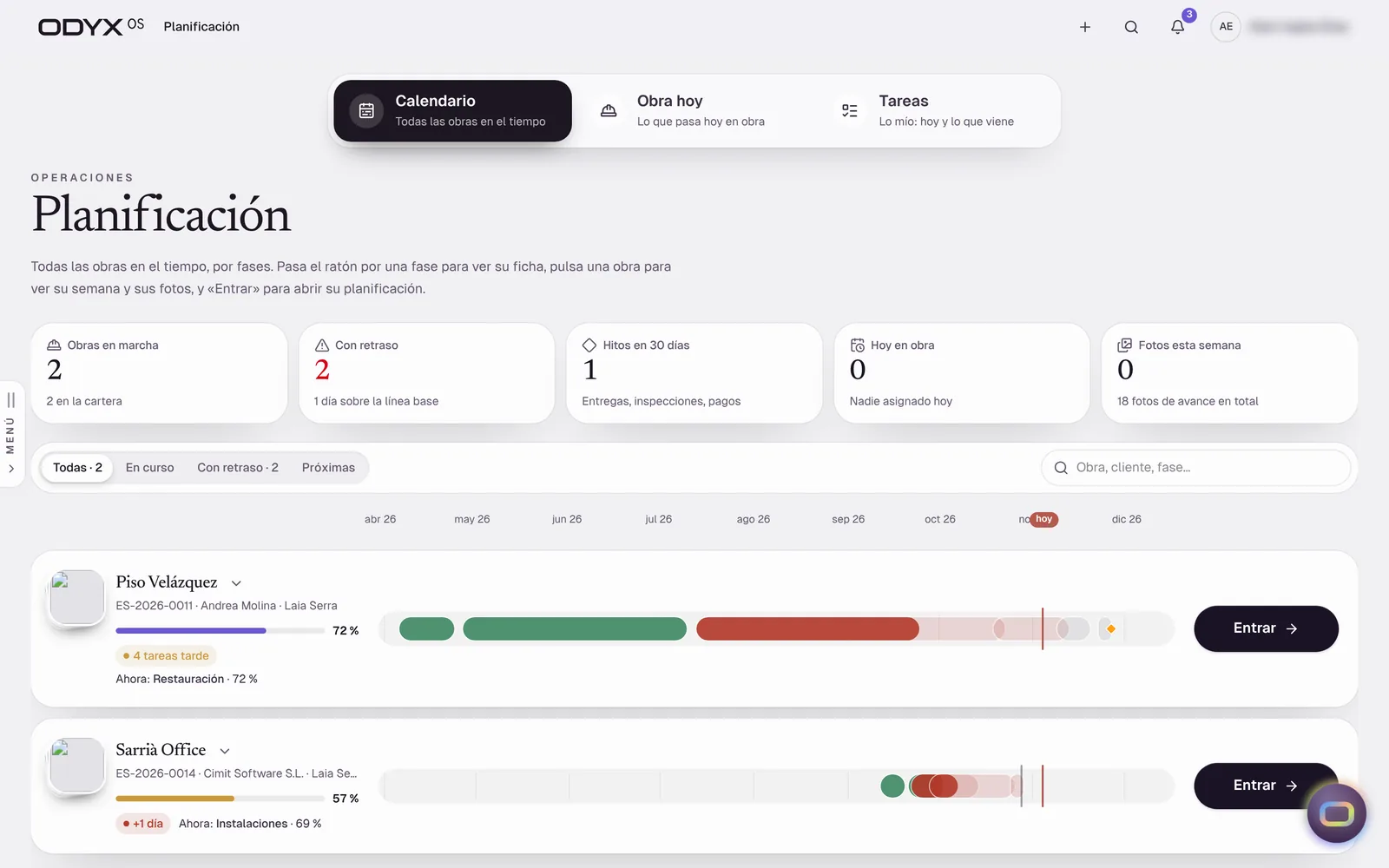
Planning, calendar & task board Live Portfolio calendar, “today on site”, a timeline with photos over time, and a task board with “my tasks”.
Solves: Nobody has the same view of who is where this week.
Calendar and phase timeline Photos shown over time Task board with checklists, labels, priority, @mentions Dependencies and baselines Note: Drag-to-edit Gantt and critical path are not built.
Proposed plan: Professional
Site notes with photo, audio & dictation Live Operatives send material requests, issues and notes from their phone; the site manager reviews and approves.
Solves: Site requests arrive as voice notes nobody can find later.
Material request, issue or note Photo and audio Dictation Site manager review and notification Note: Works online; offline drafts are planned.
Site diary, issues, snags & checklists Beta Daily log, issues, snag list and simple checklists per project.
Daily diary Issues and snags Checklist items Note: No configurable form builder or template library yet; online only.
Proposed plan: Professional
An installable phone app for the field: clock-in, site notes, the site view, receipts, quick estimates, client view and ORA.
Solves: Field teams will not use office software on a phone.
Install from the browser (iPhone and Android) Clock-in with offline queue Notes, receipts, site, estimate Note: Offline only for clock-ins.
GPS time clock & timesheets Live Operatives clock in and out with a username and PIN, with location — even without signal — and timesheets go for approval.
Solves: Paper timesheets and disputed hours.
Clock in/out with GPS Offline queue for clock-ins Timesheet approval Who is on site now
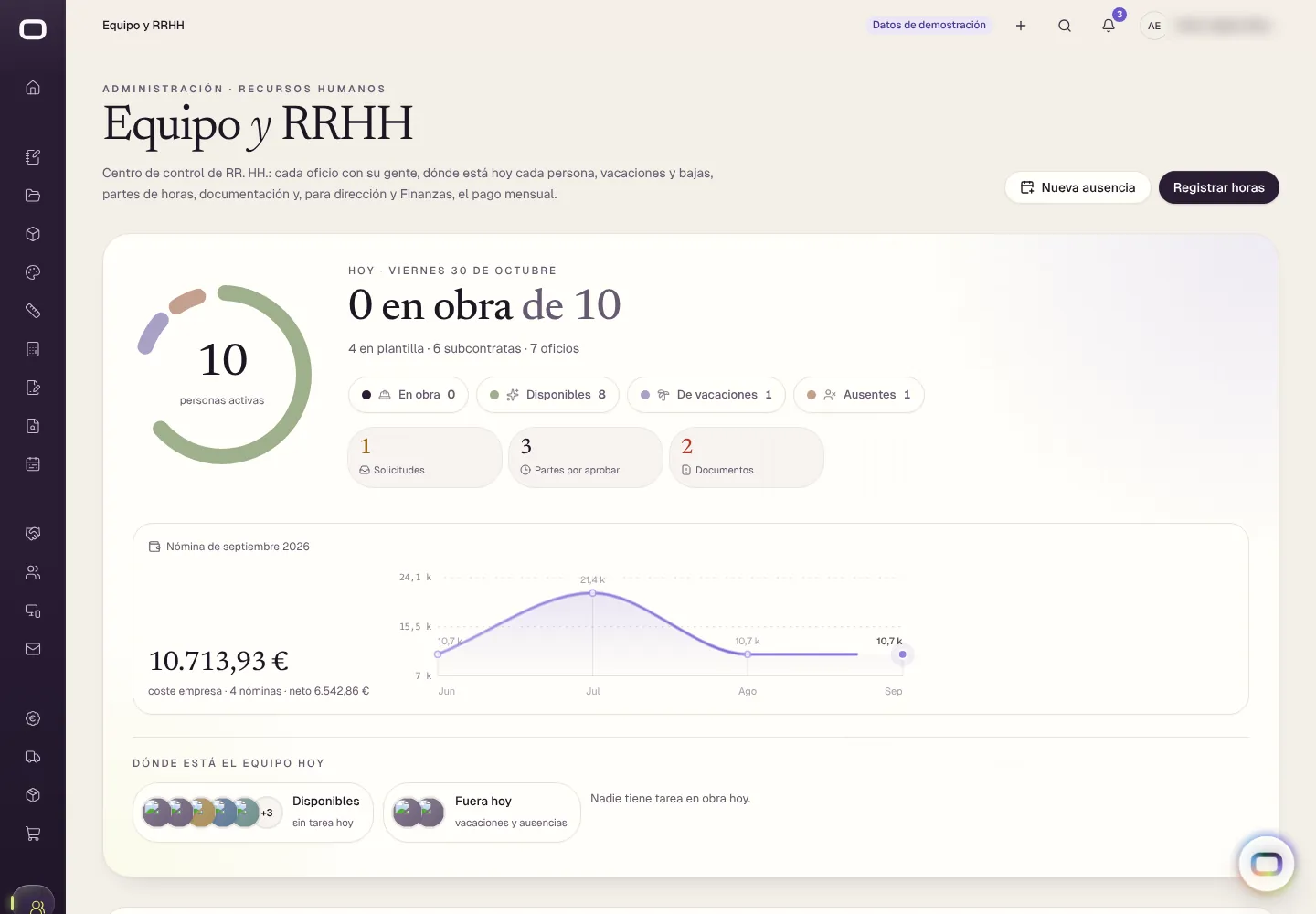
Trades with their people and today’s status, worker files, absences and holidays, payslips with PDF, and hiring.
Solves: HR lives in a drawer and a spreadsheet.
Worker file with tabs and photo Holiday and absence requests and approval Payslips (PDF) Hiring pipeline with legal model, contract and onboarding Note: No payroll-software integration yet.
Proposed plan: Professional
Purchasing with three-way match Beta Purchase requests, quotes, orders, site receipts and supplier invoices — checked against each other before paying.
Solves: Paying for materials that never arrived, or at a different price.
Requests → quotes → orders → receipts Supplier invoice matching (order / receipt / invoice) Double approval above a threshold Discrepancy flags Note: Logic verified by checks; browser tests only open the screens. Estimate-line → purchase automation not built.
Proposed plan: Professional
Contract baseline & project economics Live One economic truth per project: contract value, approved variations, committed and actual cost, forecast and margin.
Solves: Margins are discovered after the job is finished.
Baseline created at proposal approval and never rewritten Forecast at completion and margin Same figures in every module Proposed plan: Professional
Variations (change orders) Live Every change is recorded, approved and added to the contract ledger — the original contract is never overwritten.
Solves: Extras are done on site and never charged.
Variation approval Contract ledger by version Pending client decisions Proposed plan: Professional
Invoicing with built-in safeguards Live Invoices and credit notes numbered correctly per company, series and year — and the system refuses to invoice above the contract value.
Solves: Numbering mistakes and over-invoicing create tax and client problems.
Numbering per legal entity, series and year Invoicing cap at current contract value (server-side) Credit notes restore the balance Spain (IVA) and UK (VAT) entities
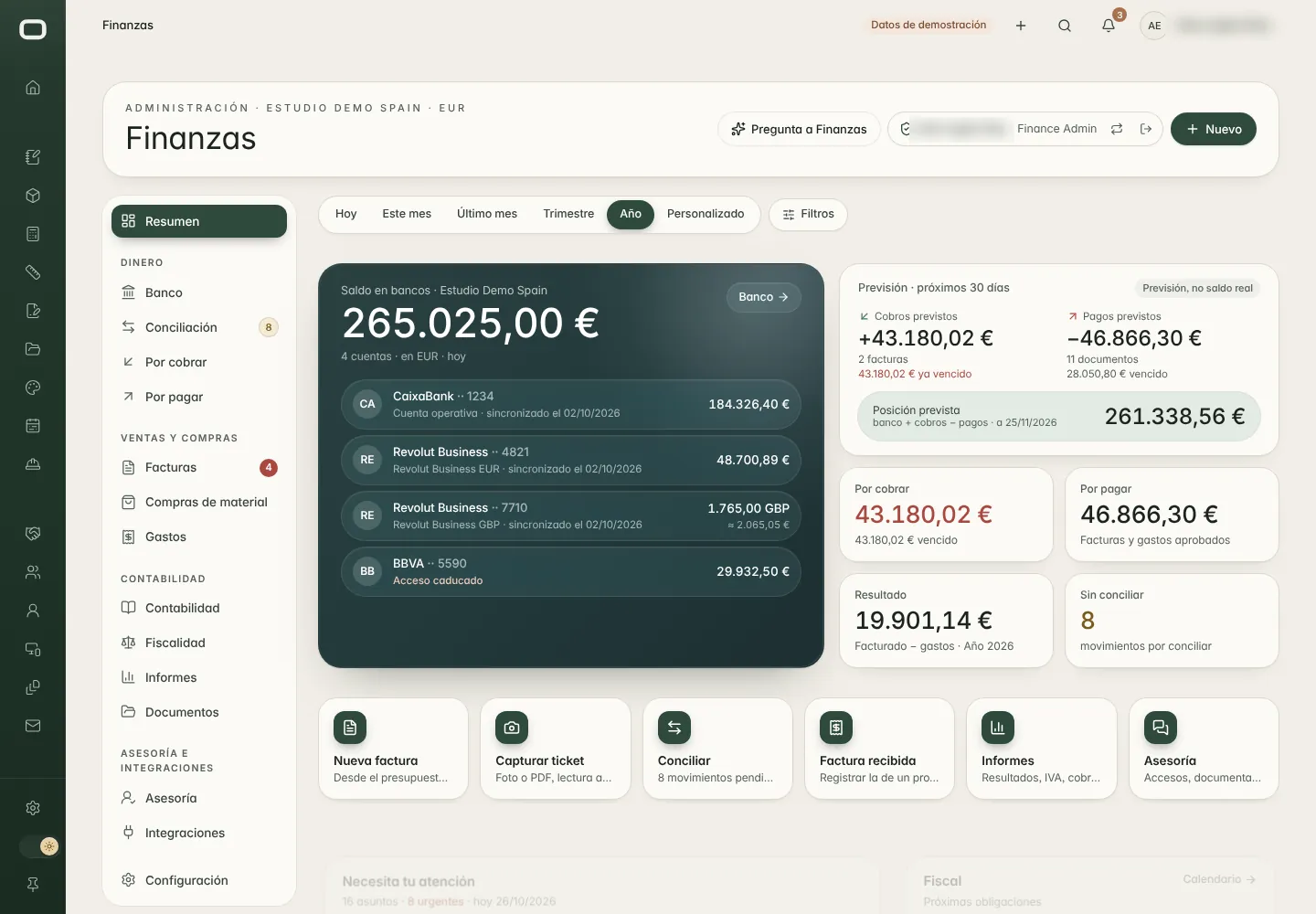
What is owed, what is overdue and what has been confirmed by both the bank and your accounting programme.
Solves: Late payments are noticed too late.
Pending, overdue and to-confirm views Cross-check bank vs accounting Reminders to send Note: The automatic reminder run has no scheduler yet; live bank and accounting connections not validated.
Proposed plan: Professional
Handover & warranties Beta Handover records and warranty tracking per project.
Handover checklist Warranty records Note: Not covered by the browser test suite.
Proposed plan: Professional